
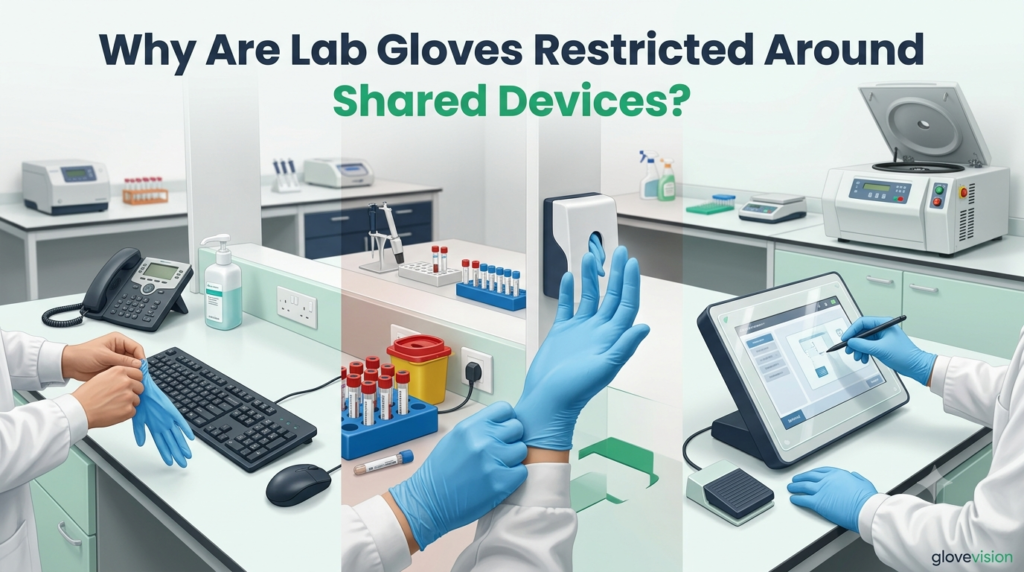
Why Are Lab Gloves Restricted Around Shared Devices?
Lab Gloves are restricted around shared devices when their current contamination state could expose later users, clean samples, products, or other laboratory tasks. The restriction is not universal: dedicated, protected, hands-free, or glove-compatible devices may permit controlled gloved use under a documented procedure.
Accessible moving components create a separate machine-safety question. A closed keypad or guarded control is not equivalent to an exposed shaft, rotor, blade, belt, gear, or nip point; those hazards require guarding, safe operating procedures, motion-stop verification, and hazardous-energy controls where applicable.
Which Device and Workflow Conditions Determine How Lab Gloves May Be Used?
The decision should identify the exact device, function, location, users, workflow, current device state, current Lab Glove state, next user or task, cleaning controls, and any accessible moving parts.
How should the device and workflow be classified?
Shared devices connect multiple users or workflows. Dedicated devices belong to one defined process. Protected devices use a maintained cover, membrane, stylus, or remote interface. Unknown-status devices should not be treated as clean.
Movement between cleaner and more contaminated tasks should follow defined clean-area boundaries.
Which Lab Glove and device states must be confirmed?
Confirm whether the gloves are newly donned, clean-task assigned, contaminated-task assigned, biologically or chemically contaminated, disinfected through an approved process, damaged, suspected contaminated, or unknown.
Confirm whether the device is clean and released, dedicated to contaminated use, covered under an approved procedure, recently contacted, isolated, unknown, under maintenance, or energized with guards in place.
Who or what will use the device next?
Consider bare-handed staff, another laboratory team, clean samples, another chemical process, public users, and maintenance personnel.
Does the device have accessible moving parts?
Separate a static external interface from a guarded enclosure, exposed shaft, open rotor, nip point, blade, or maintenance danger zone.
| Lab Glove state | Device state | Intended contact | Permitted interaction | Failure or escalation trigger |
|---|---|---|---|---|
| Newly donned | Clean glove-free keyboard | Data entry | Remove gloves if device is glove-free | Procedure unclear |
| Contaminated | Shared keyboard | Continued device use | Prohibited until device is managed | Contact occurred |
| Controlled state | Dedicated contaminated device | Routine operation | Permitted under SOP | Device used bare-handed |
| Unknown | Unknown-status device | Any | Stop and isolate | State cannot be established |
| Damaged | Any device | Any | Remove immediately | Exposure concern |
| Clean-task gloves | Contaminated device | New clean task | Do not use until device release | Device remains contaminated |
When Should Lab Gloves Be Removed Before Using Shared Devices?
Lab Gloves should be removed when the device is designated glove-free, the gloves may be contaminated, or later users and cleaner workflows could be exposed.
Which shared devices are commonly designated glove-free?
Facilities commonly designate general office keyboards, shared mice, telephones, administrative touchscreens, public door controls, tablets, and printers outside hazard zones as glove-free. CDC diagnostic-laboratory guidance advises glove removal before telephones and common computers and recommends cleaning items touched with used gloves. [CDC Diagnostic-Lab Guidance]
What should happen before touching a glove-free device?
Stabilize the task, move to the approved removal point, use controlled doffing, manage the gloves through the correct waste route, perform required hand hygiene, use the device, and don replacement gloves before returning where required. CDC states that gloves do not replace hand hygiene and that contaminated exteriors may soil hands during removal. [CDC Hand Hygiene]
When are removal, replacement, and further control all required?
Replacement is appropriate after contaminated work, prohibited device contact, damage, loss of known state, or a clean-task transition. Use documented removal and replacement criteria.
Further action is required when the device was already touched, a cover was contaminated, hands were soiled during doffing, a clean sample was touched afterward, or contamination may have left the defined zone.
Can Lab Gloves be disinfected before continued device use?
Only where a validated Lab Glove disinfection procedure supports the exact glove, contaminant, agent, application, compatibility, and continued task.
When May Lab Gloves Be Used With Dedicated or Protected Devices?
Lab Gloves may be used with a device when the device is dedicated, protected, hands-free, or otherwise integrated into a documented gloved workflow.
When may a dedicated device be used with Lab Gloves?
The device should belong to one defined workflow, users should understand its status, bare-hand use should be prohibited or controlled, cleaning responsibilities should be assigned, and release for another use should be documented.
When may a controlled cover or stylus support gloved use?
The procedure must define the exact cover, fit, compatibility, installation, cleaning, replacement, removal, waste route, underlying-surface cleaning, and damage response. A cover is not self-cleaning.
The stylus should be dedicated, clearly identified, stored in a controlled holder, cleaned or replaced, prevented from crossing zones, and included in touchpoint mapping.
When may a formal clean-hand/contaminated-hand technique be used?
Only when the hazard assessment supports it, hand roles are designed into the workstation, workers are trained and observed, and failure responses are documented. Casual one-glove removal does not create a reliably clean hand.
Which hands-free methods may be preferable?
Foot pedals, voice controls, automatic doors, remote displays, elbow controls, barcode automation, and dedicated secondary keyboards may reduce unnecessary contact when integrated into the workflow.
As a healthcare example rather than a universal laboratory rule, CDC advises including multi-use electronic equipment in contamination-prevention and cleaning policies. It also lists removable keyboard covers as an unresolved issue rather than a universal solution. [CDC Electronic Equipment]
| Control method | Required procedure | Verification | Failure trigger | Corrective action |
|---|---|---|---|---|
| Dedicated keyboard | One defined workflow | User and zone audit | Bare-hand or cross-zone use | Stop, clean, and reclassify |
| Disposable cover | Fit, change, removal, waste | Cover status check | Tear, unknown age, poor fit | Replace and assess surface |
| Reusable membrane | Cleaning and compatibility | Cleaning record | Damage or unsupported agent | Isolate or replace |
| Dedicated stylus | Assignment, storage, cleaning | Identity and storage check | Cross-zone movement | Clean, replace, and retrain |
| Hands-free control | Defined function and fallback | Functional test | Control failure | Use approved alternative |
| Formal hand-role method | Designed and trained workflow | Direct observation | Role confusion or bare-hand contamination | Stop and reset workflow |
How Should Shared Devices Touched by Lab Gloves Be Cleaned or Isolated?
Removing or replacing Lab Gloves does not clean the device. Contacted keyboards, touchscreens, telephones, styluses, handles, and instrument controls require an independent assessment and a documented shared-equipment decontamination process.
Which information is required before cleaning?
Identify the biological, chemical, hazardous-drug, sample, mixed, or unknown contaminant; device material; electrical sensitivity; manufacturer limits; cover status; internal contamination possibility; required contact condition; and next user or task.
How should the contamination branch determine device cleaning?
Use an approved organism- and surface-appropriate cleaning and disinfection procedure, respecting the device manufacturer’s application and liquid restrictions.
Identify the exact chemical or mixture, consult the SDS and manufacturer instructions, select a compatible chemical-specific process, and isolate the device when cleaning support is uncertain.
Follow the hazardous-drug procedure. OSHA notes that alcohol used for microbial disinfection does not deactivate hazardous drugs and may spread contamination; that statement is specific to hazardous-drug work. [OSHA Hazardous Drugs]
When should the device be isolated or released?
Isolate it when contamination is unknown, cleaning is unsupported, liquid entered the equipment, internal contamination is possible, a cover failed, guarding is damaged, or maintenance assessment is required.
Release requires completion of the approved cleaning or decontamination process, drying, inspection, functional check, cover replacement where applicable, guard restoration, status communication, and required approval.
| Contact event | Surface or component | Required cleaning or isolation | Verification | Release boundary |
|---|---|---|---|---|
| Biological contact | Keyboard or mouse | Approved biological cleaning | Contact condition and record | Cleaned and released |
| Chemical residue | Touchscreen | Chemical-specific, manufacturer-compatible process | Surface and function check | Residue control confirmed |
| Hazardous-drug residue | Shared interface | Isolate and use HD procedure | Authorized release | Deactivation/decontamination complete |
| Contact on cover | Disposable cover | Remove and replace without spreading contamination | Underlying surface assessed | New cover installed |
| Unknown contamination | Any shared device | Stop use and isolate | Source and method resolved | Formal release |
| Liquid entry | Electrical equipment | Do not continue normal use; isolate | Technical inspection | Dry, safe, and approved |
| Routine dedicated use | Dedicated interface | Scheduled procedure | Cleaning log | Workflow remains controlled |
How Should Lab Gloves Be Managed Around Devices With Accessible Moving Parts?
Accessible moving parts create a separate caught-in, entanglement, cutting, crushing, or impact hazard. Glove contamination controls cannot substitute for machine guarding.
Which interactions are primarily contamination questions?
External keypads, closed touchscreens, enclosed centrifuge controls, guarded shaker controls, and sealed displays are primarily contamination-control questions when guards and interlocks are intact.
Which moving-part conditions prohibit hand or glove entry?
Exposed shafts, chucks, belts, gears, ingoing nip points, blades, open rotors, and unenclosed mixing components create danger zones that hands, gloves, cuffs, hair, and tools must not enter.
No. Tight fit, short cuffs, or thin material do not replace guards, interlocks, barriers, distance, safe procedures, or motion-stop verification.
What should workers do during normal operation?
Use approved external controls with guards and interlocks in place, keep hands outside the danger zone, follow the manufacturer procedure, and use required loading or unloading tools. OSHA requires guarding where points of operation, nip points, rotating parts, and similar hazards could injure workers. [OSHA 1910.212]
What should happen during cleaning, jam clearing, or maintenance?
Determine whether the activity is servicing or maintenance and whether unexpected startup or stored energy could injure the worker. OSHA’s hazardous-energy standard applies to covered servicing and maintenance, not automatically to normal keypad use or ordinary observation. [OSHA 1910.147]
| Device interface | Moving-part access | Primary hazard | Required machine control | Stop or escalate trigger |
|---|---|---|---|---|
| Closed centrifuge keypad | None during normal use | Contamination only | Approved external control and intact enclosure | Interlock or enclosure problem |
| Guarded shaker control | None | Contamination and normal-operation controls | Guard and interlock intact | Guard damaged |
| Open rotor still moving | Accessible | Caught-in or impact | Keep out; wait for verified stop | Motion continues or access possible |
| Exposed mixer shaft | Accessible | Entanglement | Guarding and distance | Guard absent |
| Jam clearing | Possible internal access | Unexpected startup | Equipment-specific servicing control | Energy not controlled |
| Maintenance with guard removed | Direct access | Mechanical and stored energy | Authorized hazardous-energy procedure | Isolation incomplete |
What Should Happen After Accidental Shared-Device Contact by Lab Gloves?
After unplanned contact, stop further touching, stabilize the task, identify the glove and device states, control both, review downstream contacts, and escalate when the situation cannot be resolved locally.
What should the worker do immediately?
Stop contact, secure samples and chemicals, avoid additional device use, identify likely contamination, remove or replace gloves as required, and perform hand hygiene.
What should happen to the device?
Prevent further use until the device is cleaned, the cover is replaced, or the device is isolated. Do not spray electronics unless manufacturer instructions support the method.
Which downstream effects require review or escalation?
Review later users, clean samples, products, controls, other devices, personal items, public surfaces, and any maintenance interaction after the contact occurred.
Escalate when the contaminant, glove state, device state, cleaning method, cover status, guarding, or later impact is unknown; when exposure is possible; or when a device cannot be safely released.
| Contact event | Lab Glove action | Device action | Downstream review | Escalation trigger |
|---|---|---|---|---|
| Sample gloves touch keyboard | Remove or replace | Clean or isolate keyboard | Review later data entry and samples | High-consequence sample impact |
| Chemical gloves touch telephone | Remove safely | Isolate and decontaminate appropriately | Review later users | Unknown chemical or public exposure |
| Unknown gloves touch touchscreen | Treat as uncertain | Stop use and isolate | Trace users and tasks | History cannot be reconstructed |
| Covered device contact | Follow glove rule | Replace or manage cover | Assess underlying surface | Cover damaged or status unknown |
| Contact involving moving component | Stop and move away safely | Stop equipment per procedure | Assess injury and equipment state | Guarding failure or possible injury |
Which Mistakes Undermine Shared-Device Controls for Lab Gloves?
Weak controls usually treat device names, glove newness, covers, or shutdown as automatic answers. Reliable control requires device-specific and state-specific decisions.
Which restriction and device-state assumptions fail?
Do not prohibit all gloved device use or permit every newly donned glove. Shared does not automatically mean contaminated, and dedicated does not automatically mean clean.
Do not ignore who will use the device next, assume unknown means clean, or return an isolated device without documented release.
Which barrier and hand-control shortcuts fail?
Do not leave covers indefinitely, ignore the underlying surface, treat styluses as clean, or allow input tools to move uncontrolled between zones.
Do not casually remove one glove, assume the bare hand is clean, re-don disposable gloves, or omit hand hygiene. OSHA’s Bloodborne Pathogens Standard prohibits washing or decontaminating disposable single-use gloves for reuse within its scope. [OSHA 1910.1030]
Which cleaning mistakes affect Lab Gloves and devices?
Do not use one agent for every contaminant, spray unsupported liquids into electronics, or treat glove replacement as device cleaning.
Which machine-safety mistakes affect Lab Gloves?
Do not infer entanglement from the word “powered,” bypass guards or interlocks, open equipment before motion stops, reach into a danger zone, or treat shutdown alone as proof that hazardous energy is controlled.
Which claims require local device evidence?
The exact cleaning agent, application method, cover compatibility, electrical restrictions, drying time, guarding condition, and return-to-service decision must come from current manufacturer instructions, the facility hazard assessment, and the approved SOP. General CDC or OSHA guidance cannot replace those device-specific documents.
What Should Laboratories Verify About Lab Gloves and Shared Devices?
Verification should prove that the laboratory can classify the device, identify glove and device states, choose the approved interaction, manage contamination, preserve guarding, and respond to accidental contact.
- Record device, function, location, and owner.
- Identify users and next tasks.
- Separate static controls from moving parts.
- Classify shared, dedicated, protected, isolated, or unknown.
- Define clean and contaminated workflows.
- Communicate current device state.
- Identify new, clean-task, contaminated, damaged, disinfected, and unknown states.
- Define when state changes.
- Prohibit assumptions based on appearance alone.
- Specify glove-free or controlled gloved use.
- Define next-user protections.
- Place removal and replacement supplies correctly.
- Verify material, fit, compatibility, and change rules.
- Define removal and waste route.
- Assess the underlying surface.
- Dedicate, identify, store, clean, and replace.
- Prevent cross-zone movement.
- Audit status regularly.
- Stabilize the task before doffing.
- Use controlled removal and correct waste.
- Perform required hand hygiene.
- Identify contaminant and manufacturer limits.
- Respect electrical and liquid restrictions.
- Define isolation and release criteria.
- Stop contact and assess both states.
- Control gloves and device independently.
- Review downstream contacts and document deviations.
- Confirm guards and interlocks.
- Keep hands and gloves outside danger zones.
- Stop use when guarding is damaged.
- Separate normal operation from servicing.
- Assess unexpected startup and stored energy.
- Use authorized procedures where applicable.
- Observe actual interaction, not only training records.
- Audit covers, touchpoints, cleaning, and guards.
- Correct repeated workflow failures.
- Define approval and release authority.
- Escalate unknown glove, device, cleaning, or guarding states.
- Document final disposition.
Completion rule: checklist completion supports local verification but does not prove universal compliance for every device, contaminant, or jurisdiction.
Conclusion
Lab Gloves are restricted around shared devices when the current glove state could expose later users, cleaner tasks, samples, or products. The correct decision is device-specific: some interfaces require glove-free use, while dedicated, protected, hands-free, or controlled devices may permit documented gloved interaction.
Accessible moving parts remain a separate safety branch. Device cleaning, guarding, servicing controls, and downstream review must be completed independently; removing or replacing Lab Gloves alone does not close the event.
Frequently Asked Questions About Lab Gloves and Shared Devices
Are Lab Gloves prohibited around every shared device?
No. Restrictions depend on the current Lab Glove state, device status, next users or tasks, cleaning controls, and whether the interaction is covered by an approved glove-free or controlled-gloved procedure.
Should Lab Gloves be removed before using a shared keyboard or telephone?
They should be removed when the device is designated glove-free or when the glove state could expose later users or cleaner workflows. Diagnostic-laboratory guidance specifically advises glove removal before common computers and telephones.
Can newly donned Lab Gloves touch a shared device?
Not automatically. New gloves may still be unsuitable if the device is designated glove-free, the workflow requires bare-hand use after hand hygiene, or the device will later serve a cleaner task.
Can a device cover or stylus permit controlled gloved use?
Yes, but only when the cover or stylus is dedicated, compatible, maintained, cleaned or replaced, stored correctly, and included in a documented procedure.
Do tight-fitting Lab Gloves make accessible rotating parts safe?
No. Fit does not replace guarding, interlocks, distance, safe operating procedures, motion-stop verification, or hazardous-energy controls where servicing or maintenance exposes workers to unexpected startup.