
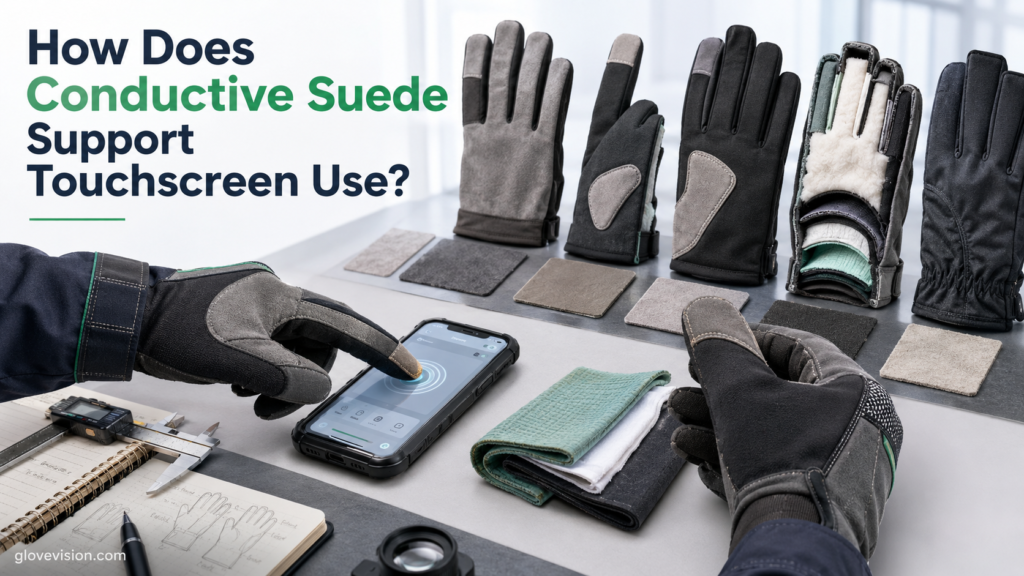
How Does Conductive Suede Support Touchscreen Use?
Conductive suede supports touchscreen use by adding an intentionally conductive contact zone to a glove that can help produce a detectable capacitive interaction at a compatible touchscreen. The material, coupling pathway, panel placement, complete-glove construction, and device sensitivity all contribute to the result.
The suede panel alone does not determine whether the touchscreen responds. Conductive technologies differ, direct skin continuity is not universally required, liners and insulation can affect coupling, touchscreen controllers vary, and wear or contamination can change performance over time.
Technical scope notice: This article explains Conductive suede as a glove touchscreen material and the basic capacitive mechanisms that influence its performance. It does not provide smartphone repair, touchscreen-controller design, electrical modification, or do-it-yourself conductive-glove alteration instructions. Performance should be verified with the exact glove, intended device, relevant settings, environmental conditions, and manufacturer guidance.
What Is Conductive Suede, and How Does Conductive Suede Differ from Ordinary Suede?
Conductive suede is a suede or suede-like glove material intentionally engineered with a documented conductive component or structure; ordinary suede should not be assumed to have that electrical function.
Conductivity should not be inferred from appearance alone because suede glove materials can be selected for softness, appearance, flexibility, or comfort without necessarily providing a conductive touchscreen function.
AX Materials identifies CPM Connect as a conductive suede glove material and documents product-specific conductivity levels and direct-skin-contact differences within its own touchscreen-material systems. Those values are product-specific and should not be generalized to all conductive suede. [AX + 2]
What does “suede” describe?
“Suede” can describe a napped natural-leather surface or a synthetic or microfiber suede-like construction. Those physical characteristics can support feel, flexibility, grip, or comfort, but none establishes electrical conductivity by itself.
What can make Conductive suede electrically conductive?
Depending on the exact product, conductive functionality may come from conductive fibers, particles, carbon-based agents, metallic components, coatings, impregnation, backing, or another documented architecture. Kuraray lists a specific CLARINO conductive glove material separately from other suede-like glove materials, illustrating why electrical function must be verified rather than inferred from appearance. [Kuraray]
How does Conductive suede differ from ordinary glove suede?
Ordinary suede may contribute grip, feel, flexibility, abrasion support, or comfort. Conductive suede adds documented electrical or capacitive touchscreen functionality, but that role remains separate from dexterity, grip, cut, impact, or weather protection.
Why must Conductive suede be evaluated within the finished glove?
Touchscreen response also depends on panel position, fingertip fit, seams, liner, insulation, membrane, attachment, complete-glove thickness, wearer, device controller, settings, screen-cover stack, environment, and condition. Material conductivity alone cannot establish complete-glove compatibility.
| Property | Touchscreen Function | Required Verification | What It Does Not Prove |
|---|---|---|---|
| Conductive component | Supports an electrically active touchscreen zone | Exact conductive technology/material specification | Universal device compatibility |
| Suede surface | Provides the physical contact surface | Exact substrate and finish | Conductivity by appearance alone |
| Panel location | Places the conductive zone at an intended contact area | Finished-glove pattern and wearer alignment | That every finger will work |
| Material flexibility | Lets the panel follow fingertip geometry | Panel stability through flexion | Touch accuracy or dexterity by itself |
| Integrated construction | Combines conductive suede with seams, liners, insulation, membranes and attachment | Complete-glove test on intended device | Unrelated grip, cut, impact or weather performance |
How Does Conductive Suede Support Capacitive Touchscreen Detection?
Conductive suede supports capacitive touchscreen detection when its conductive zone participates in an electric-field or capacitance interaction large enough for the touchscreen controller to recognize as a touch.
Microchip’s capacitive-touch design guidance covers self- and mutual-capacitance sensing and explains that touch performance depends on the physical sensor and touch-cover/material system rather than mechanical pressure alone. [Microchip]
How does a capacitive touchscreen detect input?
At a high level, sensor electrodes establish capacitive relationships, a finger or gloved interaction changes local capacitance or electric-field conditions, and the controller detects that change relative to its sensitivity and noise environment. Current Microchip PTC documentation confirms that self-capacitance and mutual-capacitance are both established approaches. [PTC]
Why can ordinary gloves weaken touch response?
Glove layers can increase separation, add dielectric material, introduce air gaps, or reduce effective coupling until the resulting signal falls below the controller’s detection threshold. TI’s CapTIvate design guidance treats gloves as additional material layers and identifies thickness, dielectric properties, and interaction area as relevant variables. [TI]
How does Conductive suede improve the interface?
Depending on construction, the conductive zone may provide conductive surface contact, extend effective conductive interaction, improve coupling, increase usable interaction area, or stabilize the touchscreen contact zone. No one pathway should be presented as universal.
Does Conductive suede require direct skin contact?
Not universally. Some systems rely strongly on a direct conductive pathway, while others can operate through capacitive coupling or with controllers capable of detecting through glove layers. AX’s product-specific documentation illustrates that its own material variants can differ in direct-skin-contact requirements; those resistance values are not universal thresholds.
How does device sensitivity change the result?
Controller sensitivity, glove-touch support, thick-overlay capability, filtering, liquid tolerance, and software behavior can change whether a gloved interaction is detected. Infineon documents capacitive-sensing platforms with glove-touch, thick-overlay, liquid-tolerance, and self/mutual-capacitance capabilities. [Infineon]
How can glove-mode behavior affect Conductive suede?
Glove-oriented detection is controller-specific and may involve sensitivity changes, mode switching, filtering, or other processing. Infineon’s PSOC Automotive Multitouch Gen6 is one specific example documenting thick-glove input, wet-finger tracking, and automatic glove-related mode switching; those capabilities should not be transferred to unrelated devices. [Gen6]
How Does Conductive Suede Glove Construction Affect Touchscreen Response?
Conductive suede touchscreen performance depends on where the panel sits, how closely it aligns with the finger, what layers separate the wearer from the panel, how seams and attachments affect contact geometry, and how the complete glove fits.
Conductive fingertip placement, seams, fit, and complete-glove construction also matter in touchscreen-compatible tactical gloves, where touchscreen functionality must remain compatible with the glove’s wider handling and protective role.
Where should Conductive suede be positioned?
Documented touchscreen zones may be placed at the index fingertip, thumb tip, finger pad, a wrapped fingertip, or another intended contact area. Placement should follow the finished-glove design rather than assuming every panel location performs identically.
How does fingertip fit affect Conductive suede?
Fingertip excess, loose finger stalls, seam rotation, folding, or panel displacement can move the conductive zone away from the wearer’s actual contact point. A stable fit keeps the panel aligned and makes repeated touch geometry more consistent.
How do seams affect Conductive suede?
Seams can add thickness, create raised contact points, reduce flat contact, shift a panel, or concentrate wear. They should be assessed as a geometry and durability factor rather than treated as an automatic break in conductivity.
How do liners and insulation affect Conductive suede?
Liners and insulation can increase separation, alter the dielectric stack, move independently, add bulk, or change the relationship between the finger and conductive panel. Insulation does not automatically make touchscreen use impossible because controller sensitivity and the complete conductive/capacitive architecture can compensate in some systems.
How does contact area affect Conductive suede?
Effective contact geometry can influence the capacitive interaction, but contact area is only one variable. A larger panel is not automatically better, and no universal minimum patch dimension should be prescribed.
How can a membrane or adhesive affect Conductive suede?
Assess layer thickness, position, stability, flexibility, and panel attachment. Different membranes, adhesives, and reinforcement stacks can change separation or geometry, so they should be evaluated in the finished glove rather than assumed electrically equivalent.
What Problems Reduce Conductive Suede Touchscreen Performance?
Conductive suede touchscreen problems can originate from the material itself, panel placement, glove fit, intervening layers, device sensitivity, screen-cover stack, environment, contamination, or wear.
Why does Conductive suede work intermittently?
Inconsistent contact, poor fit, small effective interaction area, panel misalignment, worn conductive material, device sensitivity, moisture, or contamination can all produce intermittent response.
Why does Conductive suede work on one device but not another?
Different devices can use different controller architectures, sensitivity, glove modes, cover glass, screen protectors, settings, and algorithms. A glove that fails on one device is not automatically defective, and a glove that works on one screen is not universally compatible.
Why does Conductive suede sometimes work only when pressed harder?
Additional pressure may temporarily flatten excess glove material, increase physical contact area, or improve panel alignment in some constructions. Capacitive touch is not fundamentally a mechanical-switch action, and harder pressing cannot reliably restore lost conductivity, worn material, poor coupling, or device incompatibility.
How does wear affect Conductive suede?
Possible condition changes include surface polishing, fiber wear, coating loss where applicable, cracking, stretching, delamination, seam movement, and panel displacement. Specific degradation claims should remain tied to the exact material or finished glove.
How can contamination affect Conductive suede?
Surface film, oils, dirt, treatment residue, or adhesive contamination may alter contact geometry or surface behavior. The exact electrical effect should not be universalized without product-specific evidence.
How can water affect Conductive suede?
Moisture can change the glove surface, liner position, capacitive behavior, or device response, but it does not always improve conductivity or always cause failure. The exact glove and device should be evaluated under relevant conditions.
| Failure | Possible Cause | What to Check | Decision |
|---|---|---|---|
| No response | Wrong zone, weak coupling, device mismatch, worn panel | Panel alignment, device, settings, screen stack, condition | Retest complete glove; reassess material/device |
| Intermittent response | Fit movement, small effective area, contamination, moisture, wear | Fingertip seating, panel stability, environment | Correct fit or clean as approved, then retest |
| Works only with pressure | Excess material flattens or alignment temporarily improves | Fit, seam position, panel alignment | Do not rely on harder pressing as a repair |
| Works on one device only | Different controller sensitivity, settings, cover stack, algorithms | Intended device and glove mode where available | Treat compatibility as device-specific |
| Performance declines with wear | Fiber wear, coating loss, polishing, delamination | Conductive zone and seams | Replace/reassess when function stays unreliable |
| Erratic wet behavior | Moisture changes glove/screen interaction or liner position | Wet screen/glove condition, controller behavior | Dry/clean as directed; retest exact system |
| Panel moves from fingertip | Poor fit, seam shift, delamination, liner movement | Finger length, attachment, seam stability | Resize, change construction, or replace |
Which Conductive Suede Best Matches a Touchscreen Glove?
Conductive suede should be selected from the exact glove role, conductive construction, required touchscreen zones, glove layering, intended device, environment, durability needs, and finished-product evidence rather than from material appearance or “touchscreen” marketing alone.
Material selection should also consider how synthetic suede in sports gloves is integrated with fit, fingertip construction, grip, moisture conditions, and the movement requirements of the finished glove.
As with other protective glove categories, complete glove material verification is more reliable than judging suitability from a single material name, especially when fit, task requirements, product documentation, and finished-glove construction can all affect performance.
What should be defined before selection?
Define the glove role, intended device, required touch zones and gestures, fingertip/thumb use, protection requirements, liner, insulation, membrane, environment, expected care, and wear before choosing a conductive-suede construction.
Which material details should be verified?
Look for exact material identity, documented conductive technology, conductivity information for that product, substrate/surface construction, thickness where specified, panel attachment requirements, durability information, and exact care guidance.
How should Conductive suede match thin gloves?
Prioritize accurate panel alignment, low seam interference, stable fingertip fit, and durable integration. A thin glove is not automatically superior because required protection, durability, fit, and device compatibility still control the choice.
How should Conductive suede match insulated gloves?
Prioritize coupling through complete layers, stable liner placement, correct panel location, controller glove support where available, and testing under relevant cold conditions. Do not treat insulation as an automatic incompatibility.
How should Conductive suede match protective gloves?
The touchscreen zone should be integrated without compromising required protective construction. Reinforcement, seams, membranes, coatings, and protective layers should remain independently verified for their own role rather than inferred from touchscreen compatibility.
Which evidence should support a Conductive suede claim?
Prefer exact material identification, material conductivity documentation, finished-glove touchscreen testing, intended/tested device categories where available, relevant environmental conditions, wear evidence, care instructions, and stated limitations.
| Selection Question | Acceptable Evidence | Red Flag | Decision |
|---|---|---|---|
| Is the material intentionally conductive? | Exact material/product documentation | Suede appearance or marketing name only | Verify identity before relying on touch |
| What technology is documented? | Specified conductive fibers, coating, impregnation, backing or other architecture | Universal chemistry assumed | Use product-specific mechanism language |
| Does the panel align correctly? | Finished-glove zone matches wearer contact point | Folding, rotation, fingertip excess | Resize/change pattern |
| Does the finished glove work? | Repeatable test with actual wearer | Loose swatch works but glove does not | Finished glove controls the decision |
| Is the intended device tested? | Actual device/settings/screen stack evaluated | One phone assumed to prove all devices | Keep compatibility device-specific |
| Does insulation affect response? | Complete insulated construction tested | Insulation assumed to make touch impossible | Evaluate coupling + controller sensitivity |
| Is durability documented? | Material/finished-glove wear information where available | No condition criteria | Use inspection and functional retesting |
| Are exact care instructions available? | Finished-glove manufacturer guidance | Generic suede-care advice | Follow product-specific care only |
How Should Conductive Suede Be Tested and Maintained?
Conductive suede should be tested as part of the complete glove with the intended device because loose-material conductivity alone cannot establish finished-glove touchscreen compatibility.
The broader principles of reusable glove construction and care also show why liners, moisture exposure, cleaning, drying, inspection, and current glove condition should be considered as parts of the complete glove rather than treating one material in isolation.
BlackStrap documents conductive synthetic suede as one component of a finished glove liner and gives care instructions for that exact glove, illustrating why conductive suede should be maintained according to finished-product instructions rather than generic suede-care rules. [BlackStrap]
How should Conductive suede be tested before use?
Use the complete glove on the actual wearer with the intended device, installed screen protector, normal settings, glove mode where available, normal fingertip/thumb contact, and relevant environmental condition where practical. Check initial response, repeated taps, basic swipes, intended touchscreen zones, response consistency, unwanted contacts, and panel stability.
Should Conductive suede always pass a continuity test?
No. A continuity or resistance test may be meaningful when the exact product defines a direct conductive path and relevant electrical specification, but it cannot serve as a universal touchscreen pass/fail test where performance also depends on capacitive coupling, device sensitivity, and finished-glove geometry.
What should be inspected?
Inspect surface wear, fiber loss, coating damage where applicable, cracks, delamination, seam damage, panel movement, permanent folds, contamination, liner movement, and fingertip fit. Retest after significant wear or approved cleaning when touchscreen function is important.
How should Conductive suede be cleaned?
Follow the exact finished-glove instructions for washing method, cleaning agent, water temperature, drying, brushing or stain treatment where permitted, membrane care, liner care, and conductive-zone handling. Do not automatically transfer ordinary suede-care instructions to a conductive glove system.
Which modifications should be avoided?
Do not recommend unauthorized conductive sprays, metallic paint, conductive ink, added thread, copper tape, adhesive patches, seam cutting, heat treatment, abrasive treatment, or waterproofing treatment as a way to restore touchscreen response.
When should Conductive suede be replaced?
Reassess or replace the glove when touchscreen response remains unreliable after approved cleaning and repeat testing, the conductive zone wears through, a documented conductive treatment visibly degrades, the panel delaminates or shifts, seam failure changes placement, fingertip fit materially changes, or complete-glove suitability can no longer be verified. Do not use a universal wash count or age limit.
| Check | What to Verify | Possible Failure | Action |
|---|---|---|---|
| Product identity | Exact glove and conductive-suede construction are known | Unknown material or unverified touchscreen claim | Do not assume conductivity |
| Fit | Finger length/width seat the panel at the contact point | Fingertip slack, folding, rotation | Resize or change pattern |
| Panel alignment | Index/thumb/wrapped zone stays in place | Panel shifts away from contact area | Reassess construction |
| Device | Intended capacitive touchscreen responds | Only unrelated device has been tested | Test actual intended device |
| Settings | Normal settings and glove mode where available are considered | Relevant mode disabled or unknown | Retest with intended settings |
| Screen stack | Installed cover/protector remains part of the test | Test used different overlay stack | Retest actual stack |
| Environment | Expected moisture/temperature condition considered where practical | Only ideal dry conditions tested | Reassess under relevant safe conditions |
| Material condition | No severe polishing, fiber loss, coating damage, delamination or seam/panel movement | Worn or unstable conductive zone | Clean as approved, reassess, or replace |
| Care history | Only exact finished-glove care/repairs used | Conductive spray, paint, added thread, unauthorized patch | Do not rely on modified touchscreen performance |
Why Should Conductive Suede Follow a Complete Touchscreen-System Decision?
Conductive suede should be evaluated through a complete touchscreen-system decision because material conductivity alone cannot determine how the finished glove will interact with a specific capacitive touchscreen.
What final questions determine suitability?
Ask whether the material is intentionally conductive, which conductive technology is documented, whether direct skin connection matters for that construction, where the panel sits, whether it aligns with the wearer, whether seams or layers interfere, whether insulation changes response, which device and settings are required, whether the installed screen stack is represented, whether response is repeatable, whether moisture changes behavior, whether the panel is worn, and whether the glove can be cared for correctly.
Which decision rule should readers retain?
Verify material identity; do not assume ordinary suede is conductive or direct skin continuity is universal; evaluate complete glove layers and panel alignment; test the exact device and relevant settings; include the real screen-cover stack; inspect wear and contamination; follow exact care guidance; and reject universal compatibility claims.
Conclusion
Conductive suede supports touchscreen use by contributing a conductive contact zone to the finger–glove–screen system, but successful capacitive detection depends on the complete interaction rather than the suede name, a single resistance value, or direct electrical continuity alone.
Final suitability depends on material identity, conductive architecture, panel placement, fingertip fit, seams, liners, insulation, device sensitivity, settings, screen-cover stack, environment, wear, and product-specific care. Touchscreen response should not be treated as proof of dexterity, grip, abrasion, cut, impact, or weather protection.
Frequently Asked Questions
Is all suede conductive?
No. Suede should be treated as Conductive suede only when the exact material includes or integrates documented conductive functionality.
Does Conductive suede work with every touchscreen?
No. Compatibility depends on the touchscreen technology, controller sensitivity, settings, glove construction, panel placement, screen-cover stack, environment, and condition.
Does Conductive suede require direct contact with the wearer’s skin?
Not universally. Some glove constructions rely on a direct conductive pathway, while others can use capacitive coupling or operate with touchscreen controllers capable of detecting through glove layers.
Can Conductive suede work through insulated gloves?
Yes, in some complete-glove/device combinations. Insulation may reduce coupling, but the final result also depends on conductive-panel construction, layer geometry, fit, and touchscreen-controller sensitivity.
Why does Conductive suede stop working?
Potential causes include material wear, panel misalignment, fit changes, contamination, liner movement, moisture, device differences, screen-cover changes, or degradation of the conductive touchscreen zone.
Can Conductive suede be repaired with conductive spray or added thread?
Do not assume so. Unauthorized conductive treatments can alter fit, durability, protection, care requirements, and touchscreen behavior; use only manufacturer-approved repair procedures.